register maxis fiber id

register maxis fiber id,register maxis fiber id coverage,register maxis fiber id promotion,register maxis fiber id mobile.
# Register Maxis Fiber ID: Your Complete Management Guide
If you are a Maxis Fibre subscriber, setting up your Maxis ID is the key to unlocking seamless control over your broadband and mobile services. A single Maxis ID gives you unified access to the Maxis app and the self-care web portal, allowing you to view your bills, upgrade your plan, and troubleshoot connectivity issues without having to call customer service.
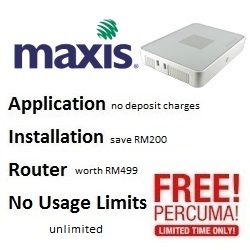
If you have not yet subscribed and want to explore the latest Maxis Home or Business broadband plans, you can check coverage, view current promotions, and apply directly at [https://maxisfibre.info/](https://maxisfibre.info/). Applying through authorized portals often provides perks like zero deposit charges, free installation (saving you RM200), and free equipment including a modem and WiFi router.
Once your fibre connection is active, here is how you can register and set up your Maxis ID.
## Step-by-Step Registration Guide
1. **Download the Maxis App:** Available on iOS, Android, and Huawei.
The easiest way to manage your account is via your smartphone. Download the **Maxis app** from the Apple App Store, Google Play Store, or Huawei AppGallery. Alternatively, you can visit the Maxis self-care portal on your web browser.
2. **Select Sign Up:** Create your new digital profile.
Launch the app or portal and tap on the **Sign Up** or **Register** button. This will initiate the process of creating your unified Maxis ID.
3. **Verify Your Identity:** Use your active phone number or email.
Enter your mobile number or email address. Maxis will send a One-Time Password (OTP) or a verification link to ensure the contact details belong to you. Enter the OTP to proceed.
4. **Create a Secure Password:** Set up your login credentials.
Choose a strong password that you will use to log in moving forward. Your Maxis ID username will typically be your registered email address or mobile number.
5. **Link Your Maxis Fibre Service:** Bring your fibre account into the dashboard.
Once logged in, you need to link your active Maxis Fibre account to your ID. You will be prompted to enter your NRIC, passport number, or Business Registration Number, along with your Maxis Fibre account number (found in your welcome email or SMS).
## Why You Need a Maxis ID
Operating without a registered Maxis ID means missing out on the convenience of modern account management. Once your ID is fully set up and linked to your broadband service, you can take advantage of several features:
* **Centralized Billing:** View your current and past statements, track your payment history, and pay your bills securely in just a few taps.
* **Network Management:** Easily check your network status, perform basic troubleshooting, and manage your home WiFi settings directly from the app.
* **Exclusive Rewards:** Access the Maxis Rewards program to redeem lifestyle, dining, and shopping deals available exclusively to Maxis subscribers.
* **Quick Upgrades:** Explore and subscribe to add-ons such as Maxis TV, Astro Fibre bundles, or mesh WiFi nodes to improve coverage in your home.
Firstly, Need Maxis Fibre for home or your business?
Click on the link below to check the address and registration online


Secondly, Registration, Maxis Fibre installation in your area
Please provide your full address ( no unit / lot , floor , building , park etc ) for review
For further inquiries , please contact us ( online form )
or via email : ✉[email protected]
Why register with us ?
- TRUSTED : We are an authorized and registered agent for Maxis Fibre .
- SAVE : No need to Maxis Centre , crammed in traffic , looking for parking and so on .
- EASY : Questions and registration is done by email / online .
- QUICK : Registration is fast 15-30minit after the personal details and documents obtained .
- Installation can be scheduled as early as 2-3 days .
- ALWAYS HAVE to answer your questions about the package , coverage and related questions .
- Experience more than 1 years in the registry and install Maxis Fibre .
- TRUE : We gave the correct answer , without exception , without any doubt .
- HELP : If you have problems port full / missing units / etc. we ‘re here to help .
- SAFE : Information and personal data safe without any violation of privacy .
Please check coverage , see the package maxis , register online or contact us for more information .
Maxis Fibre is not in your area? Let’s get Others.
Secondly, Registration, Maxis Fibre installation in your area
Please provide your full address ( no unit / lot , floor , building , park etc ) for review
For further inquiries , please contact us ( online form )
or via email : ✉[email protected]

Application
No deposit charges

Installation
Simply and Easy Apply with FREE of standard installation fee or labour worth RM200.

Free Equipment
Residential WIFI modem worth RM499! Wireless internet connection for your home.

Free Call
Get free calls worth RM 30 to all mobile, fixed line and IDD numbers. Unlimited Free Calls to Maxis Fixed Lines.
This is our free channels 免费视频, Love, Like, Share, View, fyp
AI Software Channels AI神器推介
AI Hardware Channels AI硬件推荐
Renewable Energy Channels 比利珍藏
Love, Like, Share, View, fyp